DX7 synth
A 6-operator FM engine that plays Yamaha DX7 voices, available as a sixth synth model
next to ACD, FAT, VAP, WTFM and PERC. Thousands of free DX7 voices exist as SysEx
(.syx) files; the Tracker plays them directly.
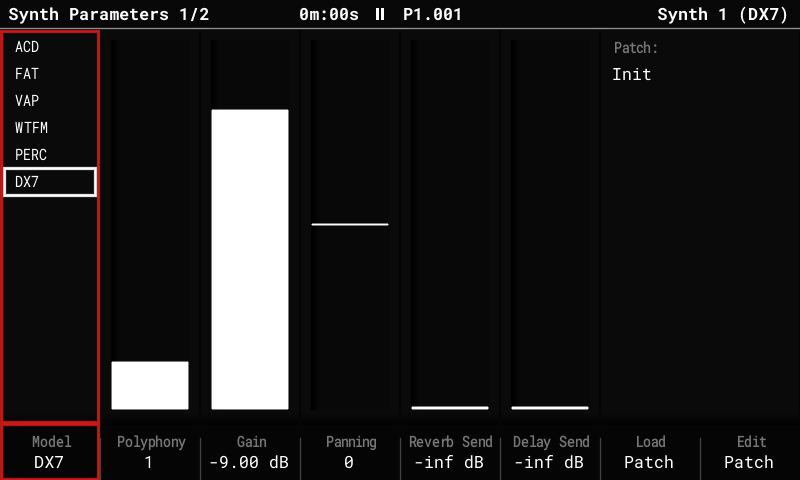
Use a DX7 voice
- Put
.syxfiles inPatches/DX7/on the SD card. Both kinds work:- 32-voice banks (4,104 bytes, the usual "bank" files);
- single-voice dumps (163 bytes).
- Select a synth instrument (S1–S3): hold Instrument and turn the encoder.
- Press Instrument Params. On Synth Parameters, set Model to DX7 (it's the last entry in the list).
- Press Load Patch (F7).
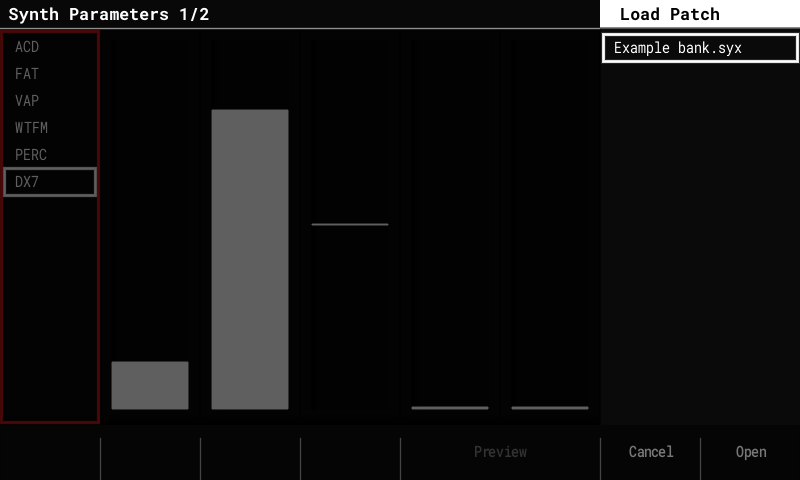
- Banks come first in the list and open like folders: highlight one and press Open (F8). Pick a voice, Preview (F5, hold) to hear it, Confirm (F8) to load it. Left goes back to the bank list. Single-voice files sit with the patches and preview and load directly.
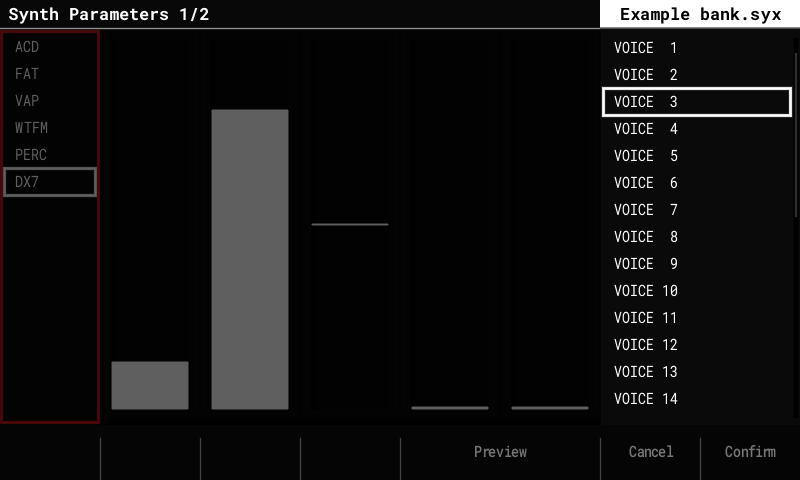
The loaded voice is named after the DX7 voice. Save (in Edit Patch) writes it as an
ordinary .patch file in Patches/DX7/, with the voice stored inside it; the project
keeps it too.
Shape a voice
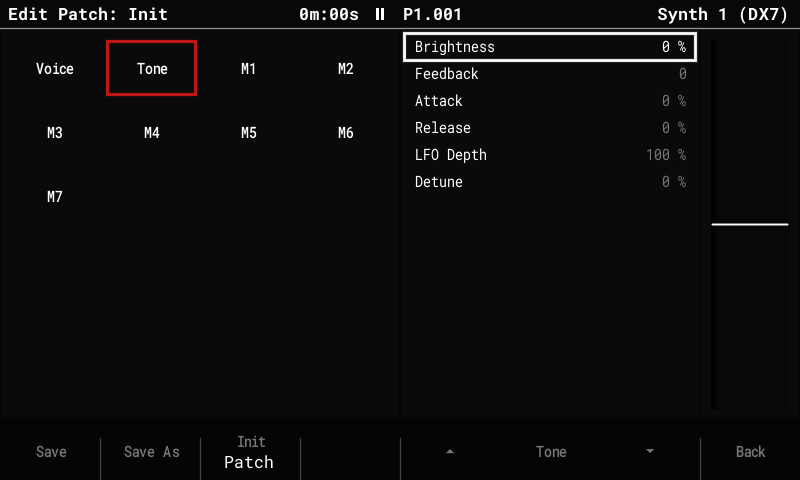
There's no operator editor yet, but Edit Patch has controls that work on top of any loaded voice, without changing the voice itself:
| Section | Control | What it does |
|---|---|---|
| Voice | Volume | The voice's level. |
| Voice | Mono | For polyphony 1 slots: Retrigger (default) or Legato, see below. |
| Tone | Brightness | ±100 %: the modulators' levels, ±12 dB. More or fewer harmonics. |
| Tone | Feedback | ±7, added to the voice's own feedback (0–7). |
| Tone | Attack | ±100 %: every operator's first envelope rate. + = slower. |
| Tone | Release | ±100 %: every operator's release rate. + = longer tails. |
| Tone | LFO Depth | 0–200 % of the voice's vibrato and tremolo, up to the DX7's maximum. |
| Tone | Detune | 0–100 %: spreads the operators up to ±7 cents apart (chorus-like beating). |
Each loaded DX7 voice comes with macros M1–M6 aimed at the six Tone controls and named after them (M1 Bright, M2 Feedback … M6 Detune). So a voice can be shaped from the Synth Macros page (Instrument Params again), or per step with the macro FX (columns A–F), without opening Edit Patch. The macros can still be re-aimed on their Edit Patch pages.
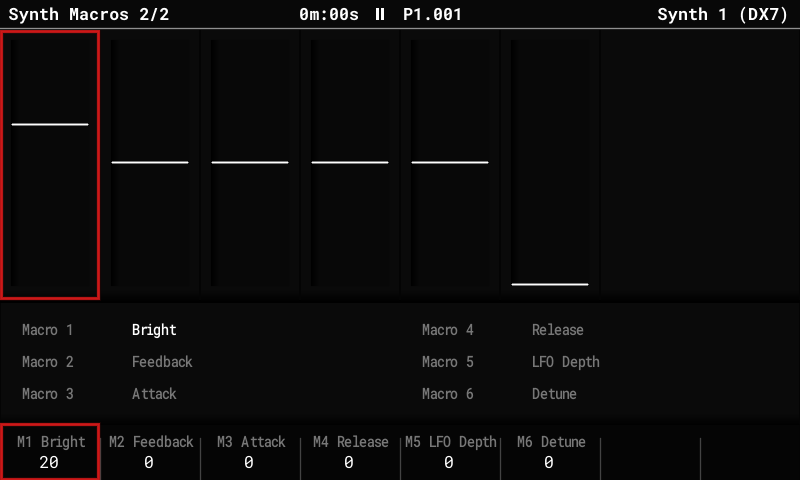
How much a control changes depends on the voice: Brightness does nothing on a voice without modulators, and Feedback is only heard when the feedback operator is audible.
Playing
- DX7 slots play from any track like the other synths: notes, the step FX for pitch (Glide, Slide, Tune, Micro-tune), the Volume FX and the macro FX.
- Polyphony is set on Synth Parameters. On a polyphony 1 slot, Mono decides
what a new note does:
- Retrigger (default): every note starts like a new voice, its envelopes from the beginning (without a click).
- Legato: a note that overlaps the held one only moves the pitch; the envelopes run on, as on a DX7 in mono mode.
- Velocity (the Volume step FX on a step with a note) works as on a DX7: through each
operator's velocity sensitivity in the voice. On some voices it changes the level,
on others mostly the tone (a velocity-sensitive modulator gets brighter with
velocity). Voices whose operators have sensitivity 0 ignore it. To make one respond in
level anyway, aim M7 (Velocity) at Volume on its Edit Patch page.
- A Volume FX on a step without a note doesn't change a held DX7 note: velocity only counts when a note starts.
- CPU: about 6 % per voice (estimated). The voice limiter cuts synth voices first if the audio gets close to its limit.
Good to know
- The sound core is a port of Google's Music Synthesizer for Android (msfa, Apache 2.0), checked against Dexed note by note. Our additions: amplitude modulation, the feedback loops of algorithms 4 and 6, and key sync.
- For deeper edits, edit the voice in a DX7 editor on a computer (Dexed works) and copy the
.syxfile over. - A Tracker Mini has no DX7 model: it resets a DX7 slot to its default when it opens the project.